
හුගක් අය අහන ප්රශ්නයක් තමයි Android Devices Root කරන්නේ කොහොමද කියල? ඔන්න එහෙනම් Step By Step මේ වැඩේ කරගෙන යන්න. මතක තියාගන්න මේ වැඩේට අපිට Internet Connection එක ඕන.
1. මෙතනින් Click කරලා Kingo Root PC Software එක Download කරගන්න.(click here )
2. ඊට පස්සේ Setup එක Run කරලා Install කරගන්න.
3. Next Kingo Root Software එක Open කරන්න. එතකොට පහලින් පෙනන විදිහට Display වෙයි.
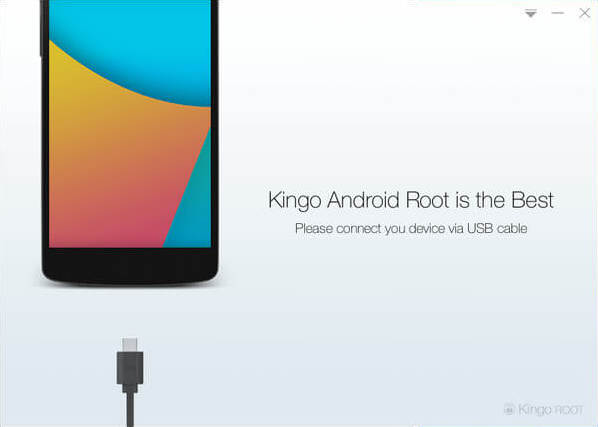
4. ඊට පස්සේ ඔයාගේ Phone එක USB Cable එකකින් Computer එකත් එක්ක Connect කරාම Phone එකට අදාල Drivers Install කරල නැත්තම් Automatically Drivers Install වෙනවා.
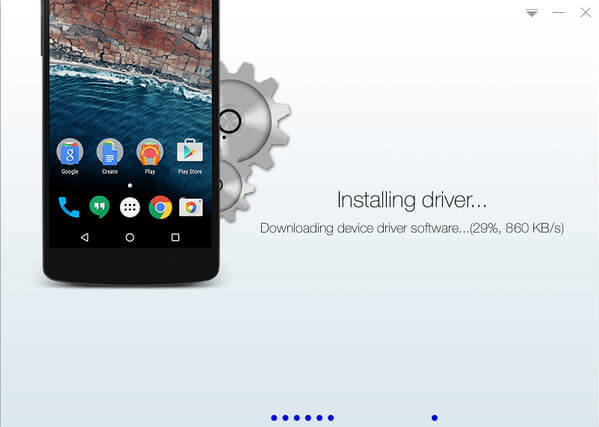
5. ඊට පස්සේ අපි අපේ Phone එකේ USB Debugging Mode එක Enable කරන්න ඕන.( Go to Settings>Developer Options>USB Debugging. Tap the USB Debugging checkbox.)
Developer Options කියන එක Settings වල නැත්තම් About Phone වල Kernel Version Few Times Click කරලා Back ගියාම Developer Options ඇවිල්ල තියෙයි.
6.USB Debugging Mode එක Enable කරට පස්සේ පහත පරුදු screen එකක් Display වෙයි.
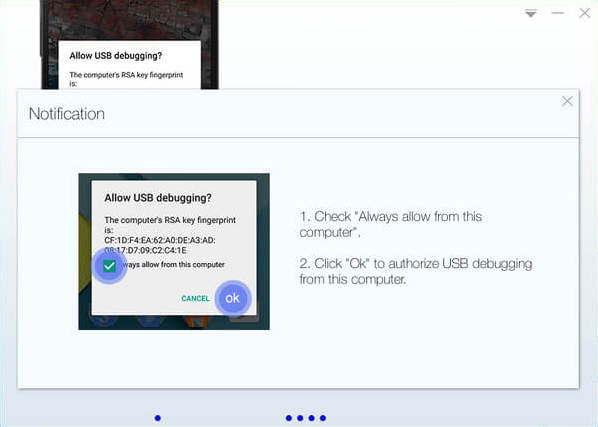
මේකෙදි හොදට මතක තියාගන්න tick කරන්න "Always allow from this Computer" කියන එක.
7. ඊට පස්සේ ඔයාලට පහත පරිදි Display වෙයි. Root click කරාම phone එක Root වීම ආරම්භ වෙයි.
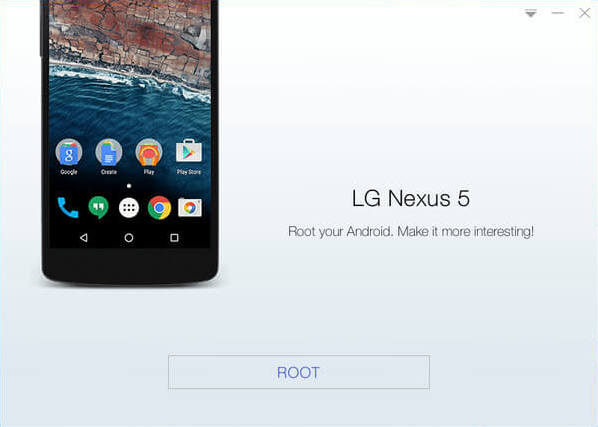
මතක තියාගන්න phone එකක් රූට් කලාම phone එකේ Software warranty එක නැති වෙනවා. ඒ වගේම මේ Process එක වෙද්දී Phone එක Auto Restart වෙනවා.
ප්රශ්න තියනවනම් Comment කරන්න.
Thank You.
Sign up here with your email
ConversionConversion EmoticonEmoticon